From download to kickoff
The first run takes a minute. Then pick where you want to play: right there on your computer, or on any of your other devices.
First run
Download the app for your computer from the download page and open it (the first time, your computer asks: here's how). Then:
- Load ROM. Pick your dump of NFL Blitz 2000 (USA) v1.1: a
.z64,.v64or.n64, or a.zipholding one. The app checks it's the right cartridge and keeps its own copy, so you can move the original afterwards. - Add the 2026 season? Add It downloads the 2026 Season pak (today's teams, rosters, uniforms and team art, about 2 MB) and plays New Blitz with it. Just the 1999 Game plays the cartridge exactly as it shipped: Original 1999. Either way you get widescreen, save states and the rest, and you can add or remove the season later under Add-Ons. More about the season.
- Keep rosters up to date? If you added the season: Keep Them Updated downloads new lineups (injuries, signings, depth charts) when the app starts. It's off unless you say yes. Change it any time in Settings → Teams → Roster Updates.
- Set it up for you? Recommended plays straight away. Customize opens the house rules (Receiver Buttons, the play clock, realism and more), all off until you turn them on.
- Where do you want to play? Here; Somewhere else (a PS5 or a phone, sent with your ROM and your setup); or N64 or Emulator, a ROM with your setup built in.
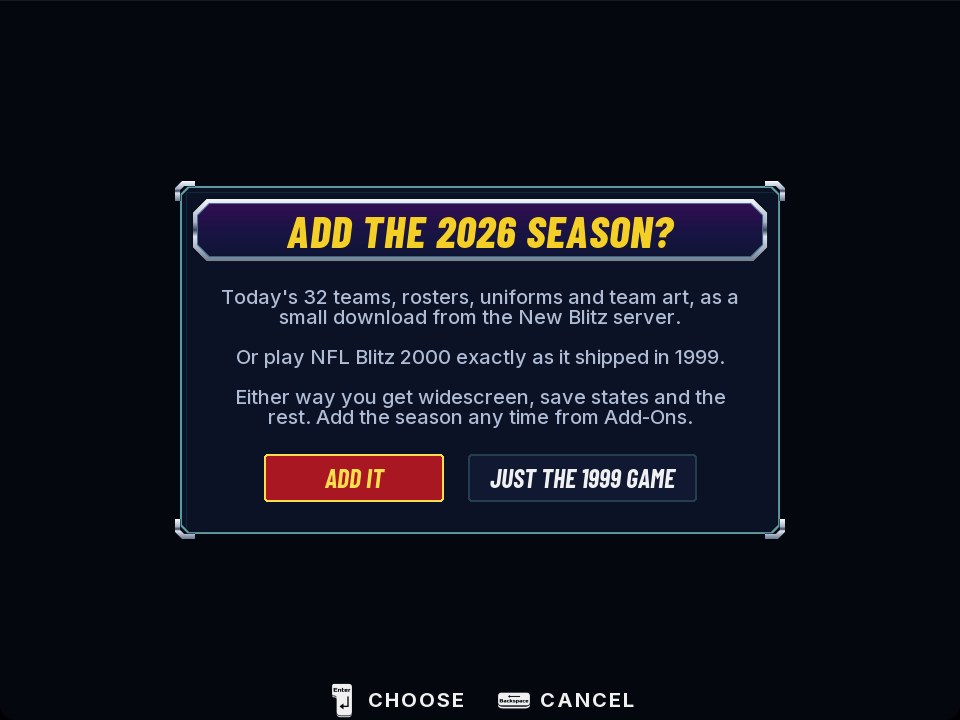
 ScreenshotBlitz Builder: Where do you want to play?
From then on the app opens on the launcher with Play ready. The launcher's Blitz Builder row runs the Builder again whenever you want another device or an export. The first time you reach each part of the game, a small tip card shows what to press, in your own controller's buttons.
Playing on your computer
- Gamepads work out of the box, over USB or Bluetooth: PlayStation, Xbox, Switch Pro and others. Each controller becomes the next free player, 1 to 4, and shows its player's colour. Remap buttons in Settings → Controls.
- Phones as controllers: Settings → Players → Phone Controllers. Phones on the same Wi-Fi scan the QR code, turn sideways and join as the next player. Turn it off when you're done: anyone on your network can join while it's on.
- Settings → Players shows who is who: Identify buzzes a controller, Swap trades two players' places, Make Player 1 hands over the menus.
- On a TV: Settings → General → TV Mode goes full screen with a widescreen picture in one go.
- Player 1 can use the keyboard: see Controls.
iPhone and iPad
Status: paid Apple accounts tested; free accounts being tested.
Apple only lets you install apps like this one if you sign them yourself, with your own Apple account. Nobody else's certificate or name is involved, and it's for your own devices.
| Your Apple account | How long it runs | Good to know |
|---|---|---|
| Free | 7 days at a time | Re-sign and reinstall within the week; your saves stay. Up to 3 apps you've signed per device. |
| Paid ($99 a year) | A year | The Apple Developer Program. No 3-app limit. |
- Get the iPhone app as an unsigned
.ipafrom the Builder. - Sign and install it with your own Apple account, using AltStore, SideStore or Sideloadly (they run on a Mac or a Windows PC). Each one walks you through it.
- On the phone: turn on Settings → Privacy & Security → Developer Mode (the phone restarts), and if it asks, trust your certificate in Settings → General → VPN & Device Management.
- Give it your ROM. Open New Blitz and press Load ROM to pick it from Files, or put it in Files → On My iPhone → New Blitz first.
With a free account, the app stops opening after 7 days (it just bounces back to the Home Screen). Install it again the same way, over the top: everything carries on where you were. Don't delete the app to fix it, because that deletes its saves. You'll need iOS 17 or later.
Prefer to build it yourself with Xcode? The step-by-step guide is in the repository: docs/IOS_SIDELOAD.md.
Android
Phones and handhelds running Android 10 or later on a 64-bit ARM chip with Vulkan graphics: that's most from the last several years. The Builder installs the app with your ROM and setup already in it.
- Turn on USB debugging. On the device: Settings → About phone (on some devices it's under Software information), tap Build number seven times to unlock Developer options, then turn on USB debugging in them.
- Install platform-tools (
adb) on your computer, from Android's developer site. - Connect the device with a USB cable and allow debugging when it asks.
- In the Builder: Where do you want to play? → Somewhere else → A console or phone → Android. It installs New Blitz, with your ROM, your settings and the season if you added it.
Play with the on-screen touch controls, a Bluetooth gamepad, or a handheld's own buttons. Select (or the device's Back button) opens the menu. Screenshots and saved replays go to Pictures → New Blitz, where your gallery finds them.
ScreenshotNew Blitz on an Android handheldDual-screen handhelds Beta
It's the same Android app. On a device with two screens, it finds the second one when it starts and uses both: BLITZ DS.
- During a play, the field runs tall across both screens, with a camera that follows the action.
- At play select, the game's own play tiles are tappable on one screen, while the other loops the last play beside the score and your drive.
- Stylus (Settings → DS Screens): the game on one screen and big tiles on the other, with Receiver Buttons on for player 1.
- Settings → General has Two Screens (on by default) and Swap Screens.
It's in beta: it has run on two-screen handhelds, and how smoothly depends on the device. Tell us how yours does on Discord.
ScreenshotBLITZ DS: the play across two screensPS5 Preview
New Blitz runs as native homebrew on a jailbroken PS5 running etaHEN. We can't help with jailbreaking a console; which firmware versions work is up to etaHEN.
- Start etaHEN on the console, and have the PS5 and your computer on the same network.
- Find the console's address (its IP address, in the PS5's network settings).
- In the Builder: Where do you want to play? → Somewhere else → A console or phone → PS5, and type the address. The Builder sends the game, your ROM and your setup over etaHEN's FTP server, and starts it.
It shows up on the home screen like any title, and plays with a DualSense. The game's files (the ROM, logs, exports) are in /data/blitzrecomp on the console. The Roster Room and phone controllers show their addresses for a phone or computer to open.
A real N64, or an emulator
Export ROM (the Builder's N64 or Emulator, or the launcher's Export ROM) saves a cartridge-ready .z64 to your Downloads folder, with your rosters, rules and uniforms built in. Put it on a flash cart for a real Nintendo 64, or open it in any N64 emulator. Each export is a new file with the date and time in its name.
| Kind | What's on it | Plays on |
|---|---|---|
| Lite: Arcade | All 32 teams and every uniform, with the game's own Season and Tournament | Any N64 or emulator |
| Lite: Season | The 2026 season (8 divisions, 18 weeks), each team's 2026 home and away uniforms | Any N64 or emulator |
| Full | Every uniform and the 2026 season | An N64 with the Expansion Pak, or an emulator |
| Custom | Your own pick of the options (32 teams, the season, every uniform, the extras) | Depends on what you pick |
| Original 1999 | The cartridge's own game, with your house rules if you want them | Any N64 or emulator |
The Lite, Full and season kinds need the 2026 Season pak. Without it, Export ROM offers Original 1999 and Custom. Optional extras ride along from your settings: Choose CPU Opponent, Play Clock, the Blitz codes, Home Field and Realism, among others. When it's done, it lists what went in.
ScreenshotExport ROM: the kinds of cartridgeControls
Buttons go by position, so every pad plays the same way: the bottom face button passes, the left one jumps and tackles. The game's own screens show each player their own controller's buttons.
| N64 | Gamepad | Keyboard |
|---|---|---|
| Stick | Left stick | W A S D |
| A (pass, switch player) | Bottom: ✕ / A | Space |
| B (jump, tackle) | Left: □ / X | Left Shift |
| Z (turbo) | Left trigger | Q |
| C buttons (targeted passes) | Right stick, top and right buttons | Arrow keys |
| D-pad | D-pad | I J K L |
| Start | Start | Return |
The extras
On a controller, hold the hotkey, L3 or R3 (a stick pressed in), and press the button. While it's held, the game doesn't see those presses.
| Do this | Keyboard | Controller |
|---|---|---|
| Save state | F5 | Hotkey + R1 |
| Load state | F7 | Hotkey + L1 |
| Pick the slot | F6 (Shift+F6 back) | Hotkey + □ / ○, or D-pad left / right |
| Redo Play | F8 | Hotkey + △, or D-pad up |
| Instant Replay | F9 | R1 at play select, or REPLAY in the pause menu |
| Settings | Esc | Select (Create, View) |
| Full screen | F11 | L3 + R3 |
| Screenshot | F12 | Hotkey + Select |
On handhelds whose L1/R1 are the turbo buttons, saving and loading move to hotkey + R2 and L2. In the app's menus: ✕ / A selects, □ or ○ goes back, L1 / R1 change tabs; on a keyboard, Enter, Backspace and Page Up / Page Down. On a Mac, Shift+F12 records a clip.